
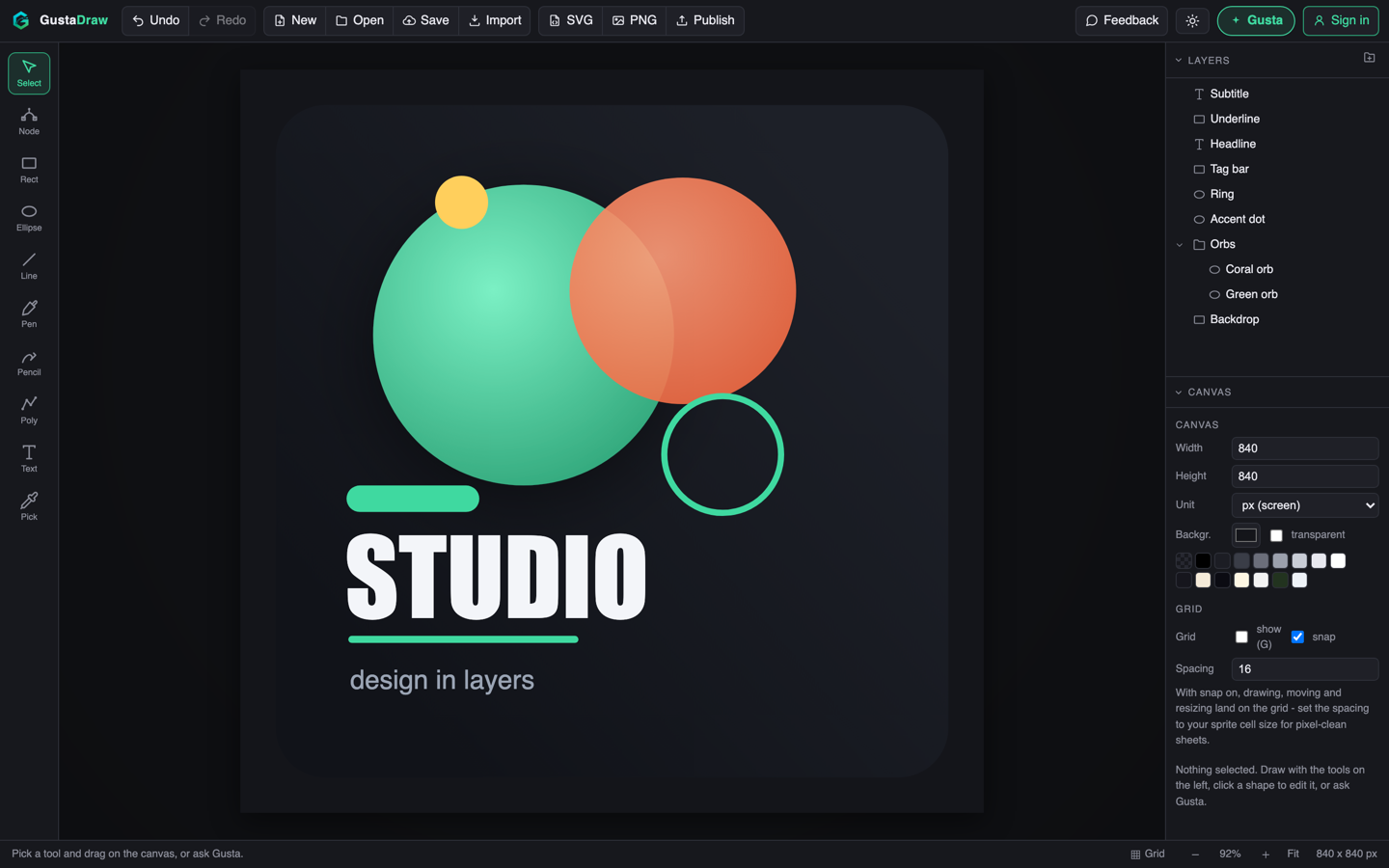

Gusta Draw
A vector studio for album art, stickers, logos, and cut-ready SVGs. Gusta designs in real, editable shapes you can select and refine, never a flattened export.
Open Gusta Draw Learn more about Gusta DrawYour studio
Cloud saves from Gusta Music, Draw, 3D and Video, in one place.
Check your inbox (and junk folder) and open the link to verify your email. Verifying unlocks your free tokens.
Start something new
Independent software from Sweden
Gustalabs makes Gusta, a suite of creative tools that run in your browser with an AI copilot built in, and iPhone apps for everyday life. Every one of them works without an account.
In your browser
Each tool opens in a browser tab and is free to use while we test. The same copilot works in all of them, and your projects stay on your device unless you choose the cloud.
A vector studio for album art, stickers, logos, and cut-ready SVGs. Gusta designs in real, editable shapes you can select and refine, never a flattened export.
Open Gusta Draw Learn more about Gusta Draw

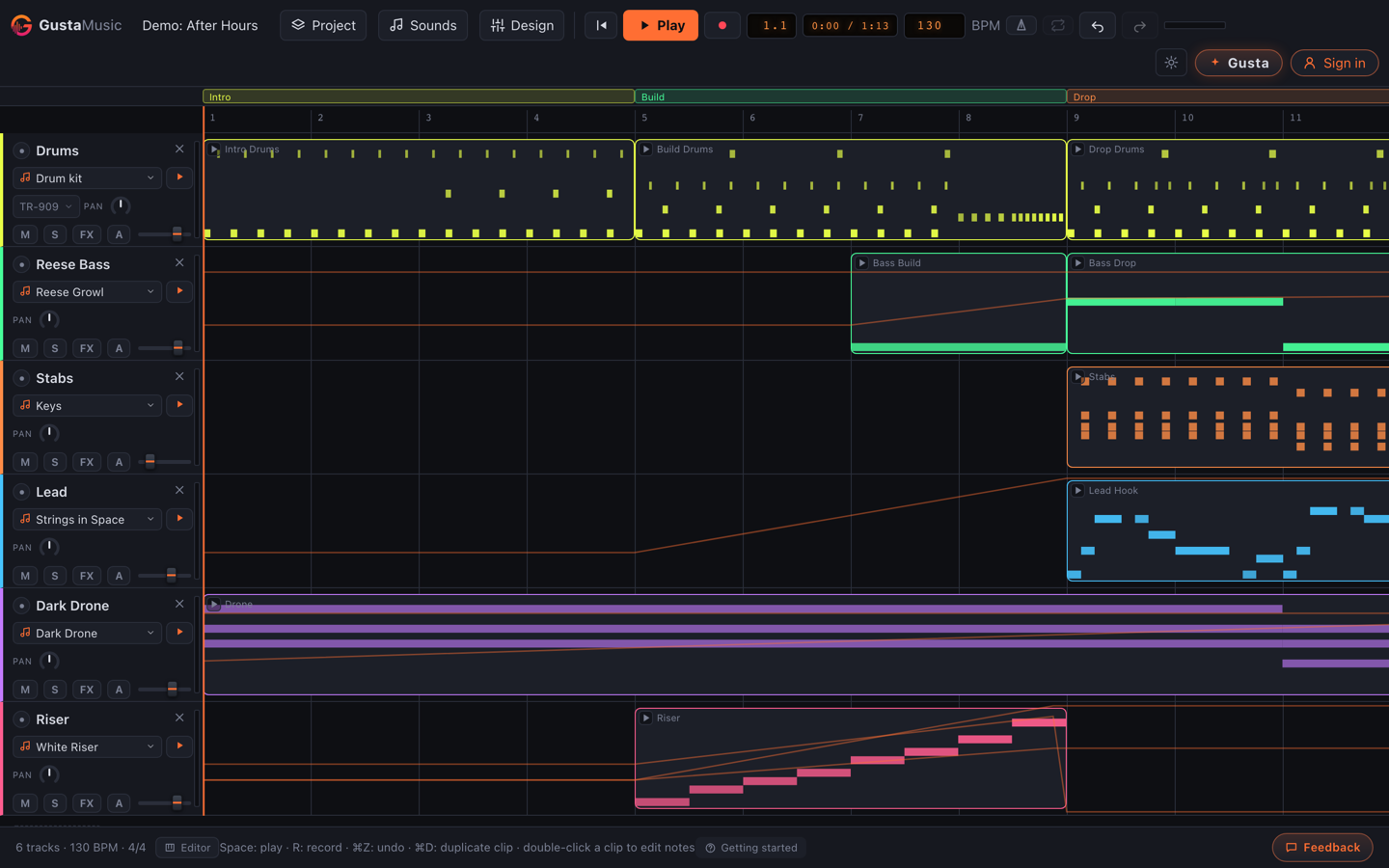
A mini studio in the browser. Sketch beats, record takes, shape sounds, and produce full songs with Gusta, the AI copilot that composes alongside you. Every song is real notes on real tracks, yours to edit and release anywhere.
Open Gusta Music Learn more about Gusta Music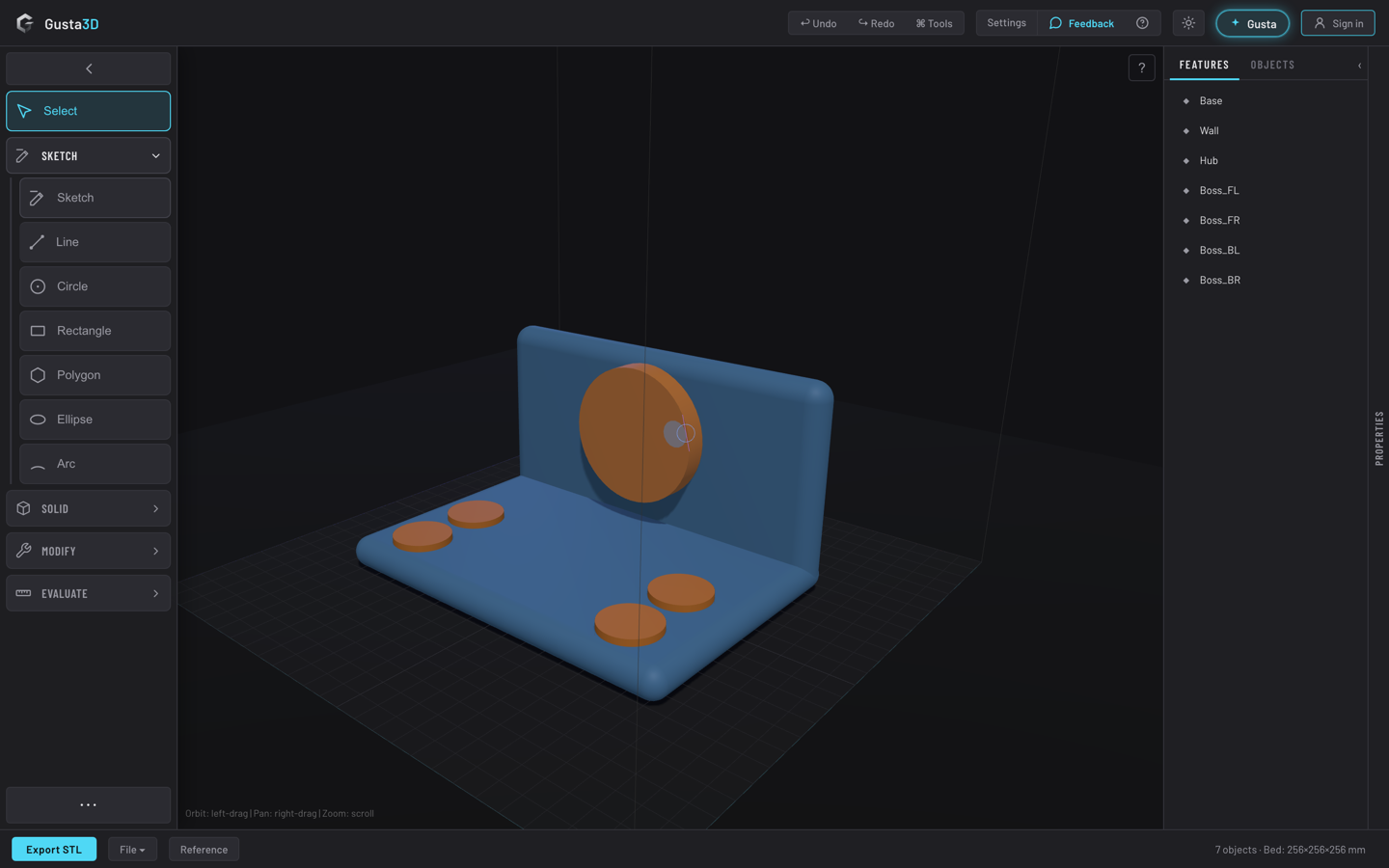

Browser CAD for fast shape ideas: sketch, extrude, and export printable models, with the same AI help when you want it.
Open Gusta 3D Learn more about Gusta 3D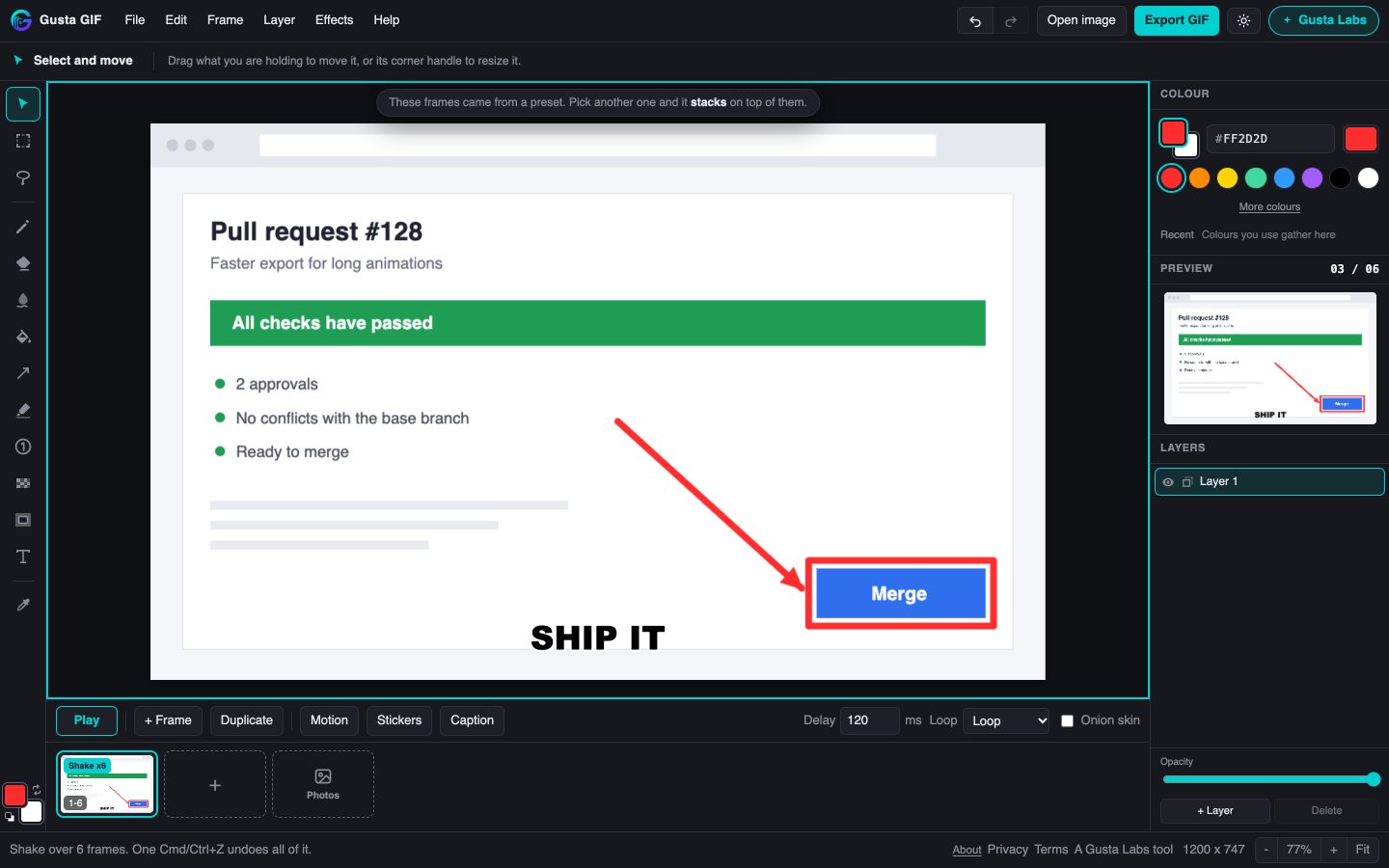

Paste a screenshot, draw an arrow on it, and send the animated GIF before anyone asks what you meant. Free, no watermark, and it works without an account. Gusta helps with the timing, the captions and the file size, and your images stay on your device.
Open Gusta GIF Learn more about Gusta GIF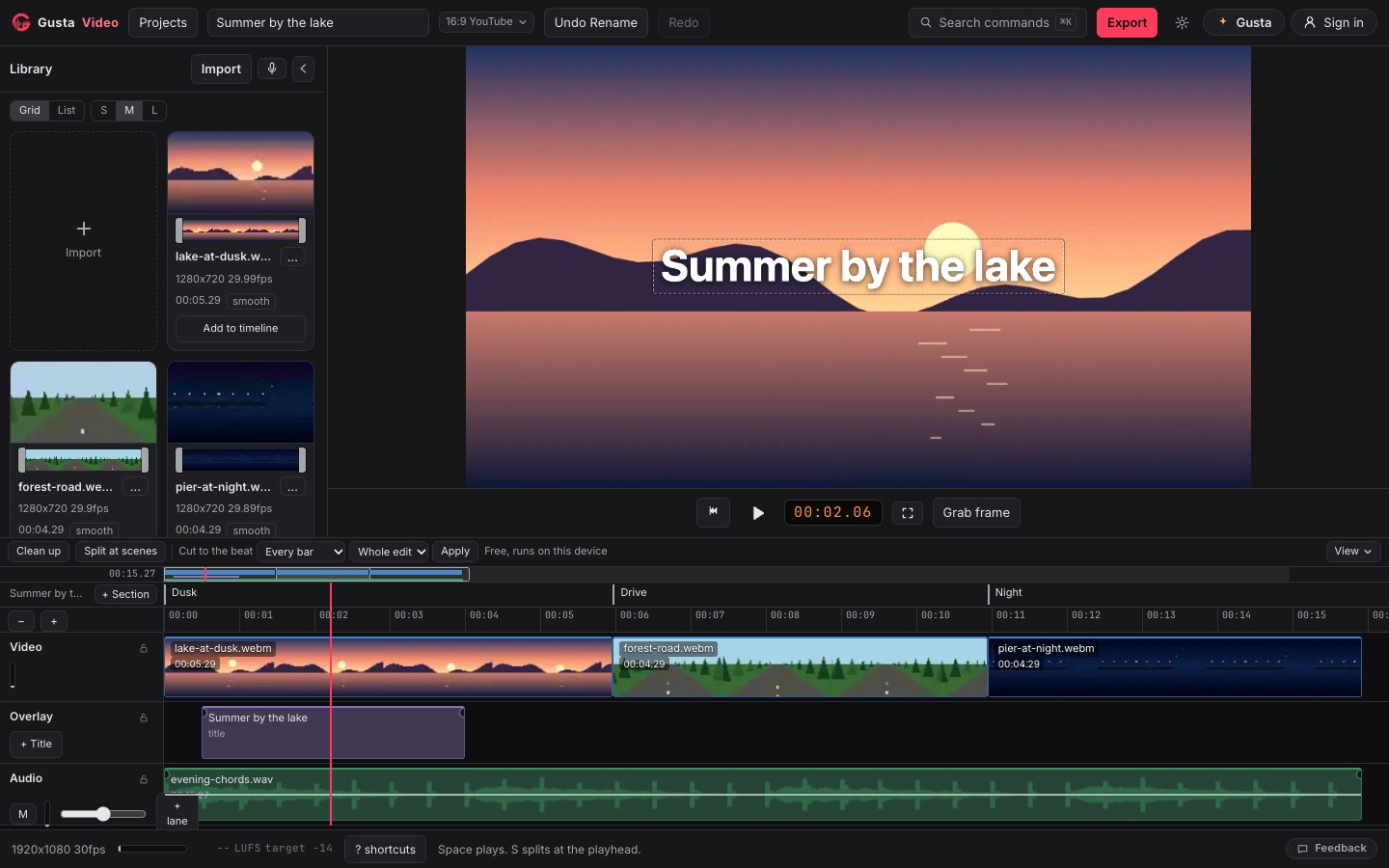

Cut your footage on a timeline, lay music under it, add titles, and let Gusta edit section by section with you. Your footage stays on your own device: it is never uploaded, and we never see it.
Open Gusta Video Learn more about Gusta Video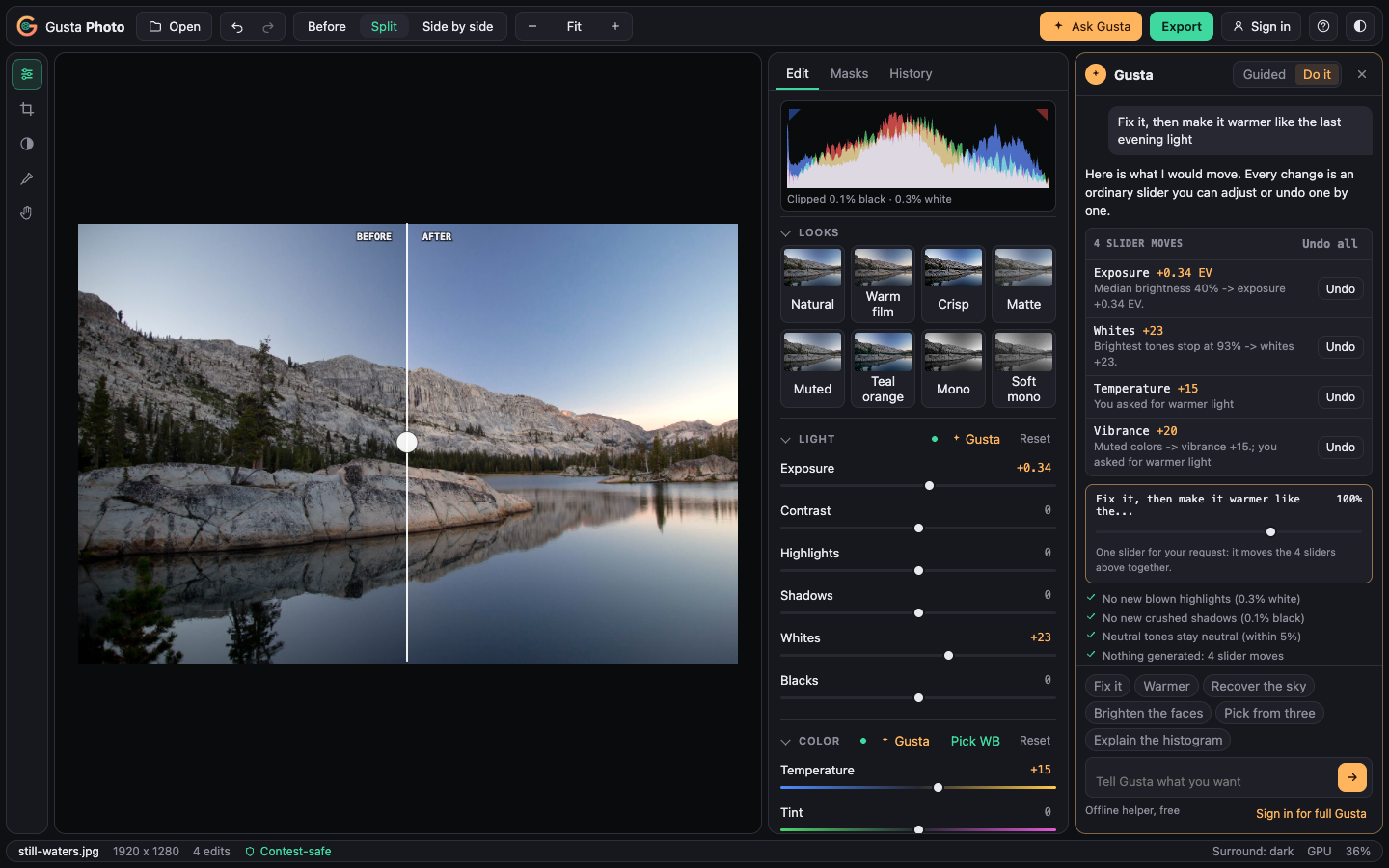

Make your photo look like the moment did. Light, color, black and white, curves, and masks you select with a tap, with Gusta moving the same sliders you would and saying why. Nothing is generated: every edit is a recipe over your untouched original.
Open Gusta Photo Learn more about Gusta Photo

Draw the house you already have from your own measurements, and see at once which sizes do not add up. Furnish it, try ideas as concepts beside the real house, walk through it in 3D in the real sun, and print a to-scale plan for a builder.
Open Gusta Home Learn more about Gusta HomeOn your iPhone
Small apps that each do one job. They are free to use, with a one-time purchase for the extras, no account and no data collected.
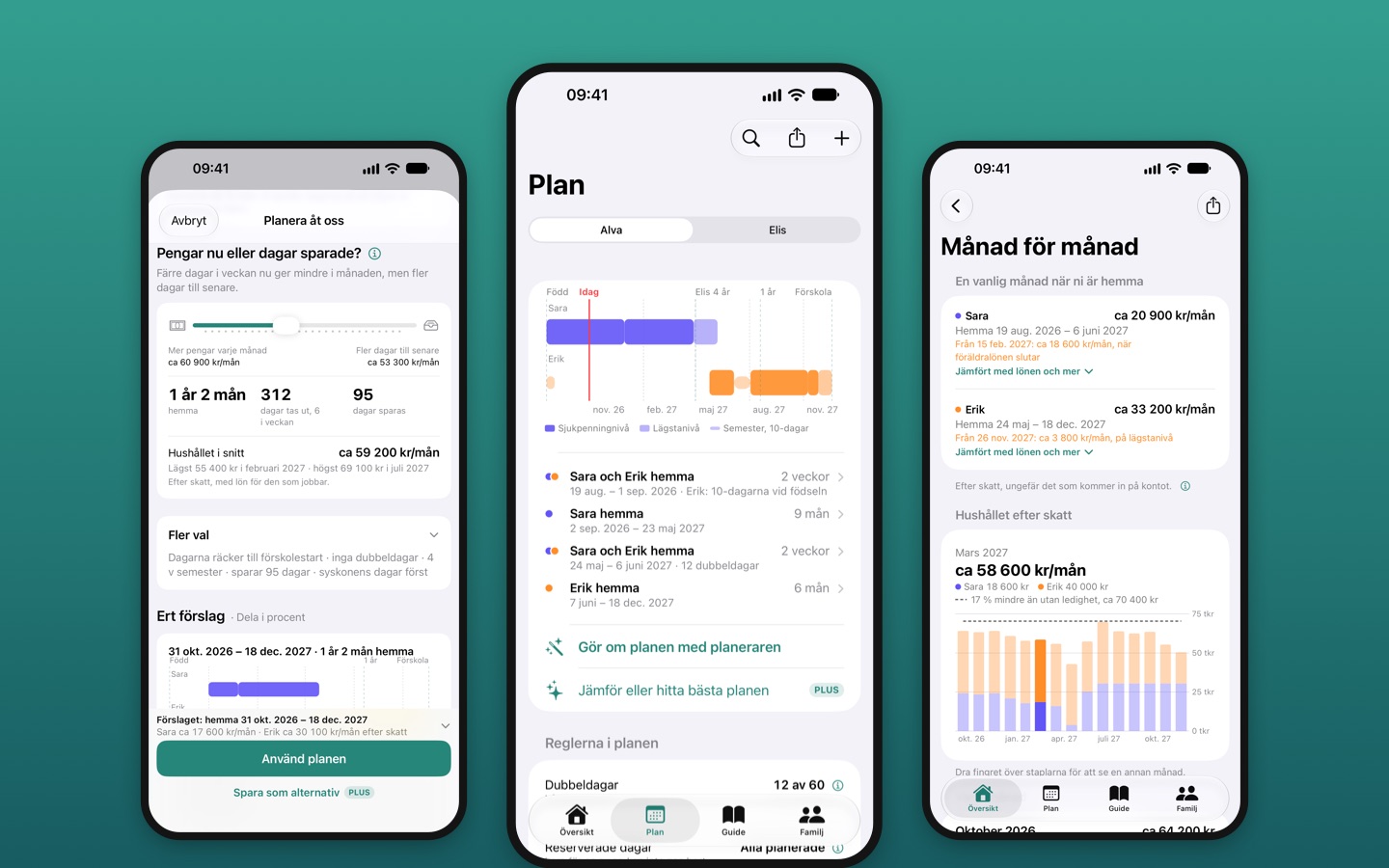

Plan parental leave by the Swedish rules. A few questions give a plan: who is home when, how long the days last and roughly what you get each month after tax, with reminders for when to tell your employer and apply.
Get Föräldraledig Learn more about Föräldraledig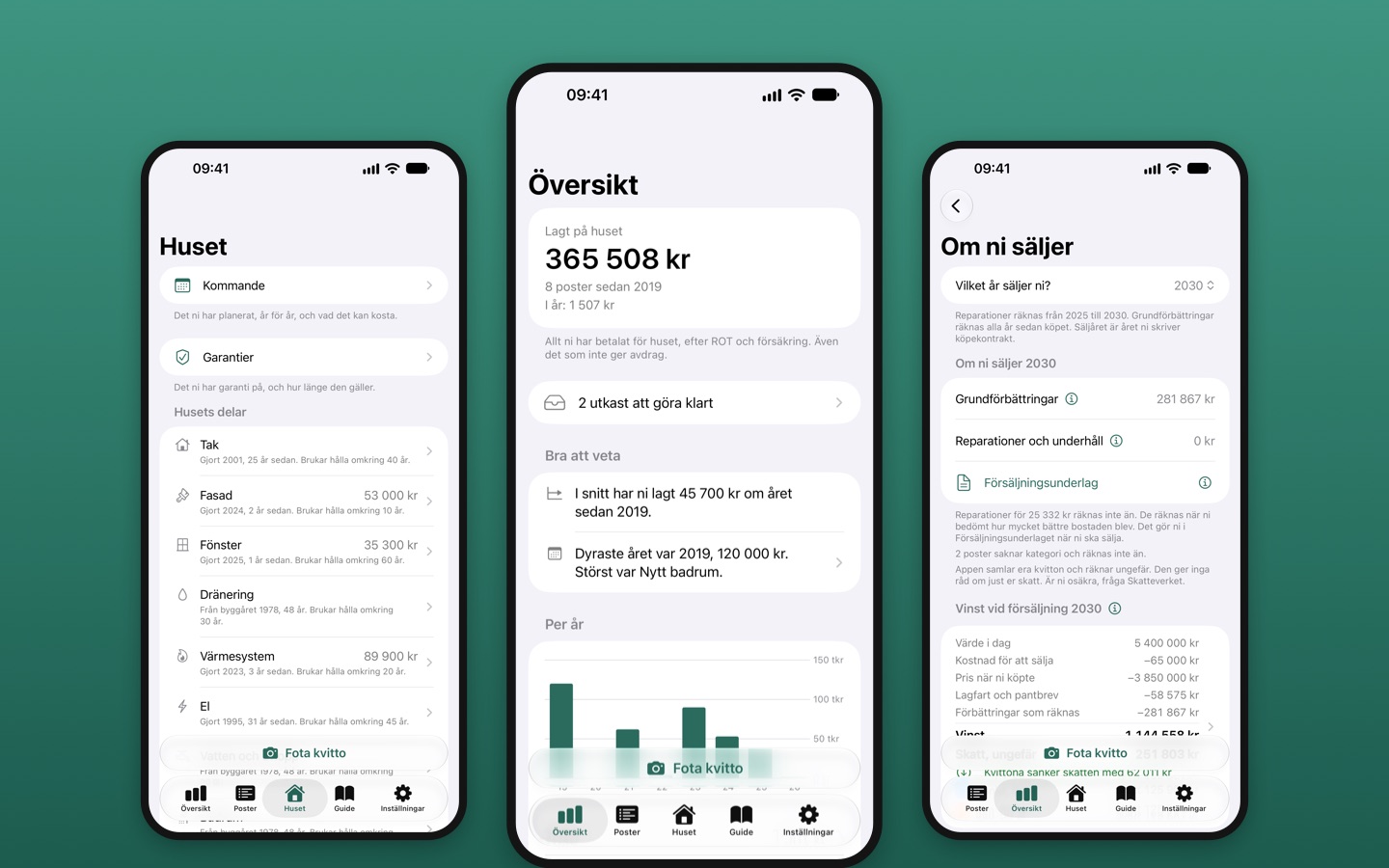

Photograph a receipt and it is filed. See what the house has cost, when the roof was last done and who paid what, and have the papers for the tax deductions ready the day you sell.
Get Renoveringsboken Learn more about Renoveringsboken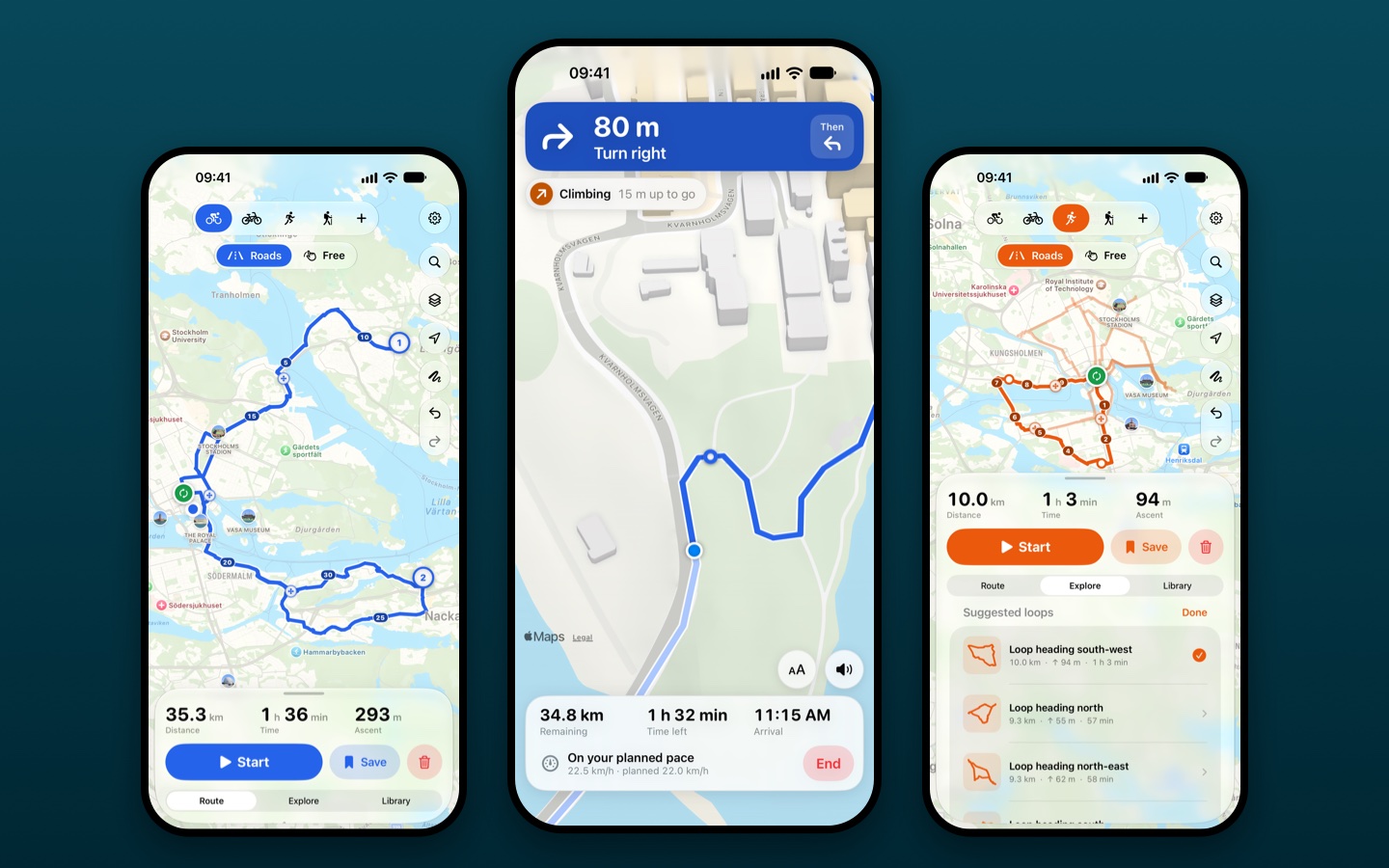

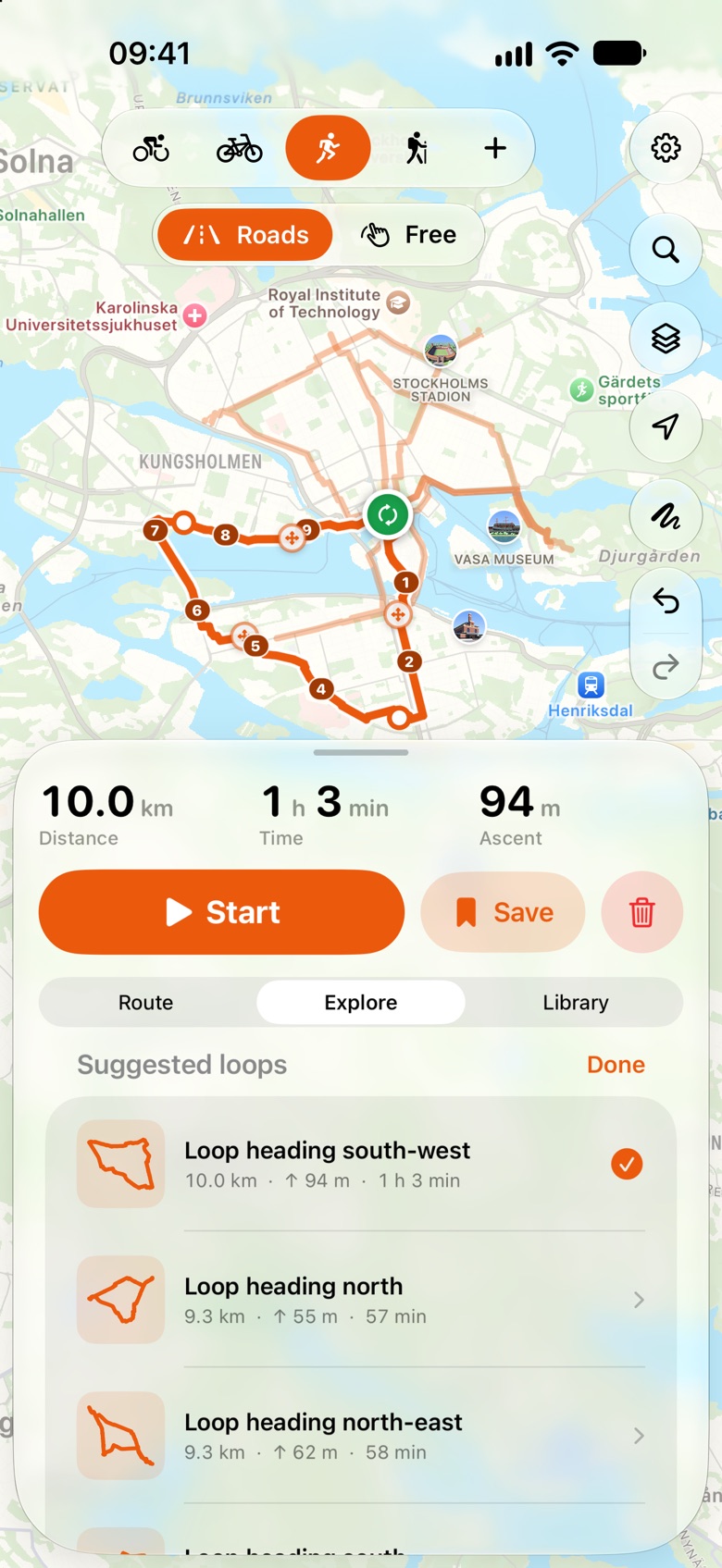
Tap the map and the route follows roads and paths, or ask for a loop of the length you want from where you stand. See the climb before you go, then follow it turn by turn. Nothing is recorded unless you ask for it.
Get Good Route Learn more about Good RouteWhat makes the browser tools different
Gusta is not a chatbot bolted on the side. It works the same controls you do: adding tracks, drawing shapes, extruding models, mixing, through each app's own command layer. Every edit it makes is a real edit you can see, tweak, and undo.
"Add a lo-fi drum groove." "Make this logo rounder." "Hollow this out for printing." Gusta does the work in the document, not in a chat transcript.
Every AI action lands on the canvas as an ordinary edit. Nudge it, keep part of it, or undo it, exactly like your own moves. Nothing is a black box.
The same assistant runs across Music, 3D, Draw, Photo, Video, GIF and Home. Learn it once and it follows you from a beat to a model to a poster to a cut to a floor plan.
How the browser tools work
Sign in once, keep your files close, and only spend tokens when AI work is involved.
Gusta Music, 3D, Draw, Photo, Video, GIF and Home share one sign-in and one token wallet, and every one of them works without an account.
Create your account once, in Gusta Music, 3D, Draw, Photo, Video, GIF or Home. One token wallet works in all of them, and only AI work spends it: the tools themselves are free. We are in open beta, so tokens are on us while we test.
The browser tools are free while we test: the AI runs on tokens we grant, and nothing in them is for sale yet.
Projects start in the browser and move to cloud saves only when you choose.
Everything you make belongs to you. Projects live in your browser by default; signed in, Gusta Music, Draw, 3D and Video add cloud saves, and you can see how much space they use. Gusta Photo, Gusta GIF and Gusta Home keep your work on your device.
What you make here is yours. The AI works with your recordings, built-in instruments, and license-free sounds, never other people's records. No rights tiers, no fine print.
Servers stay in the EU, with export and deletion available from the apps.
Download everything we store about you, or delete your account entirely, straight from the account menu in any Gusta app you sign in to. The details live in the privacy policy.
Help lives inside the apps: in every one of them, the Feedback button reaches us directly, and when you are signed in, our replies land in the app. Without an account your message still reaches us; sign in if you would like an answer.
About Gustalabs
Gustalabs is founded and run from Sweden by Daniel Gustafsson. It makes and publishes Gusta, a suite of creative tools that run in the browser, and iPhone apps on the App Store. New products are added regularly.
They are built the same way. Each one does a job you can name, works without an account, and keeps what you make on your device unless you choose otherwise. Everything on this page is live: open a tool or get an app and try it.